- Built for
- A small business that meets its clients over Zoom
- Replaced
- A run of hand-sent emails for every booking
- Runs on its own
- Intake forms, Zoom links, calendar invites, reminders and cancellations
- Staff use
- One dashboard, with their own login and role
The problem
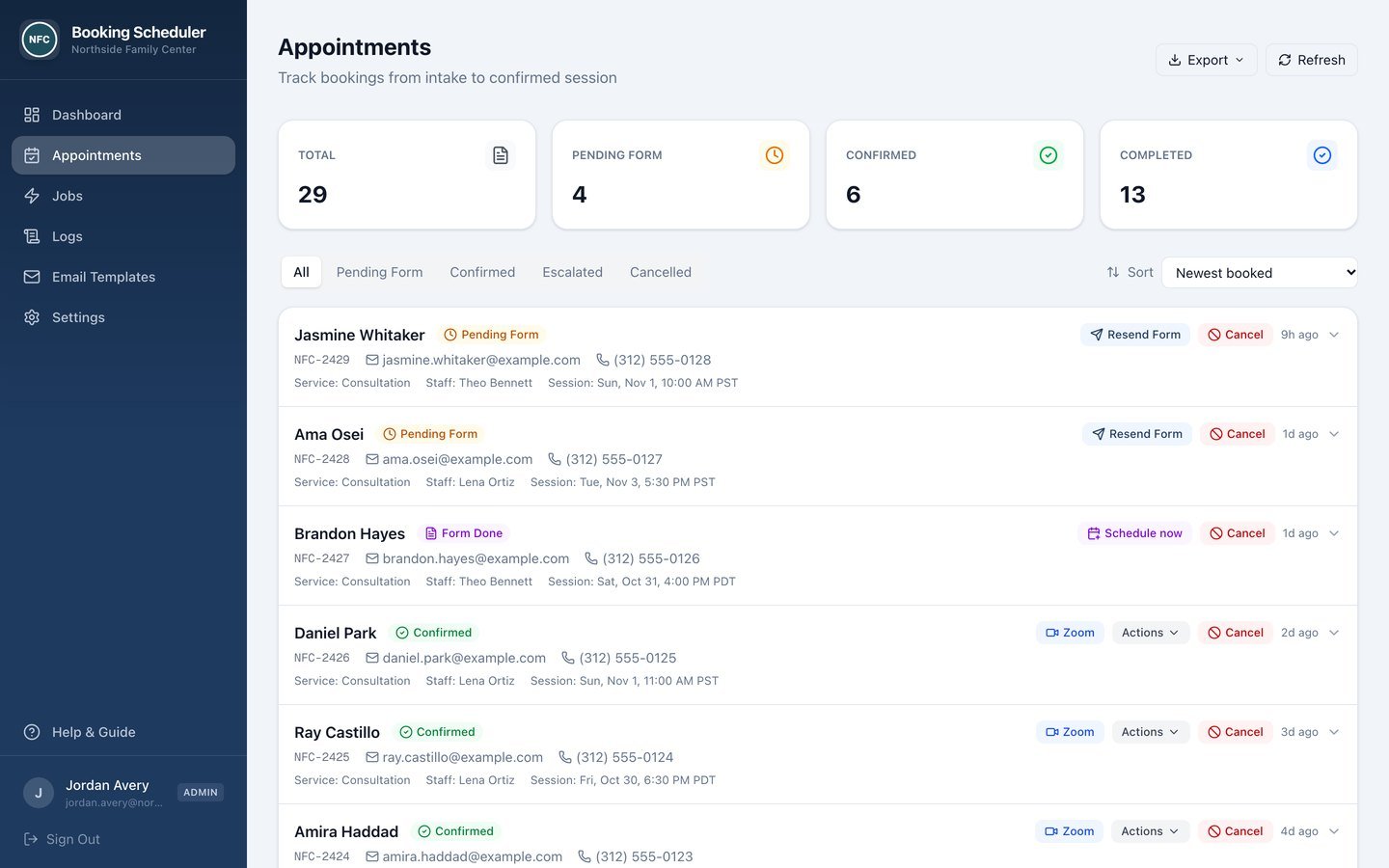
Every booking set off the same chain of work. Someone had to email the intake form, check whether it came back, create a Zoom meeting, add the calendar event, send the link, and follow up with anyone who went quiet. Done by hand, that was a run of emails for every booking, and any one of them could be missed.
What happens to a booking
The scheduler runs that whole chain. Staff only step in when it asks them to.
- Booked on the websiteShows up in the dashboard straight away
- Intake link sentEmailed to the customer the moment they book
- Form filled inZoom meeting, calendar event and confirmation created
- No form after 5 daysFirst reminder
- No form after 10 daysSecond reminder
- No form after 15 daysStaff alerted so a person can call
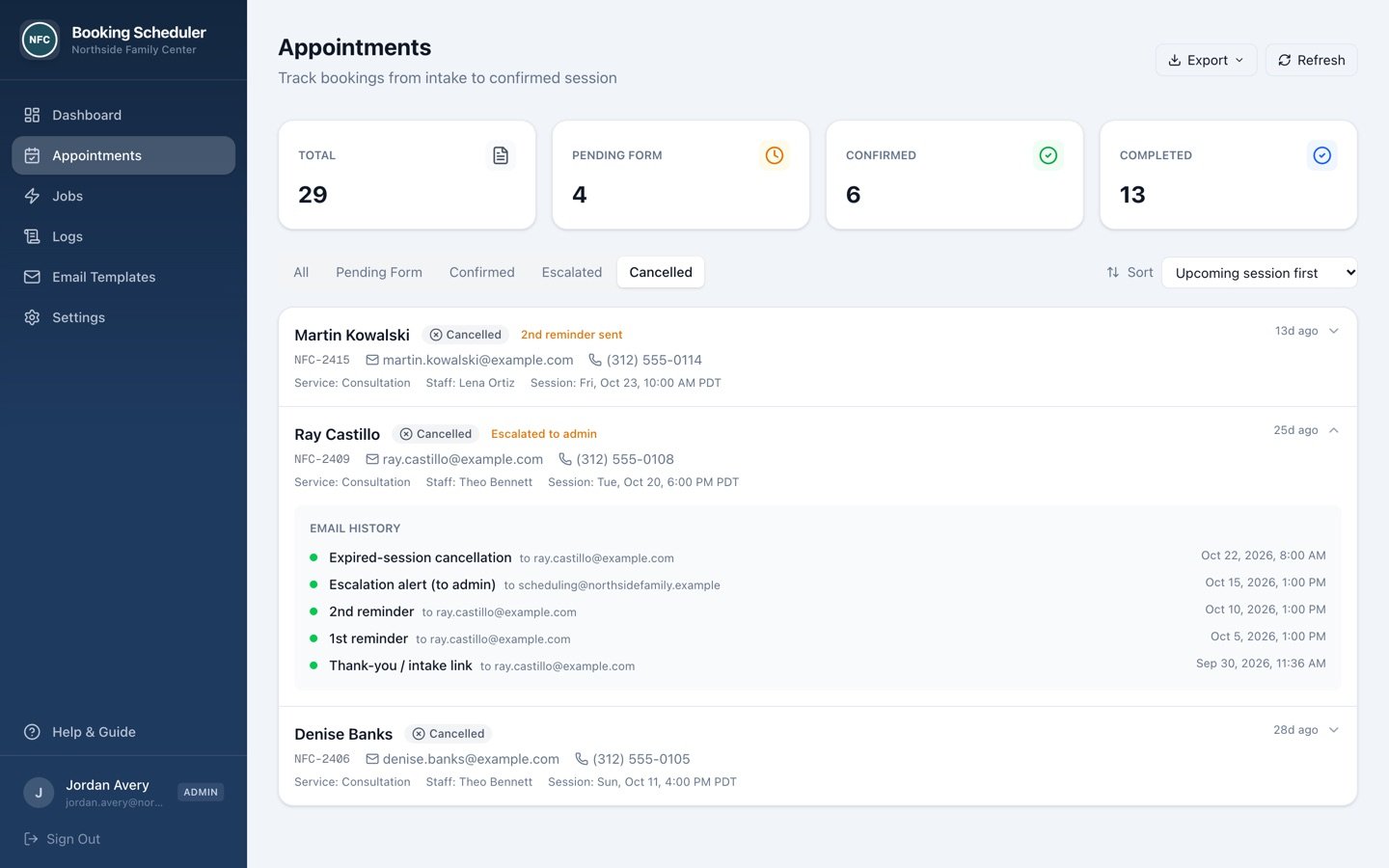
- Session date passesBooking cancelled, rebook link sent
When people go quiet
Most of the work in scheduling is chasing people. The scheduler sends reminders on day five and day ten, then emails staff on day fifteen so someone can call before the slot is lost. If the session date passes and the form never came in, it cancels the booking and emails the customer a link to book again.
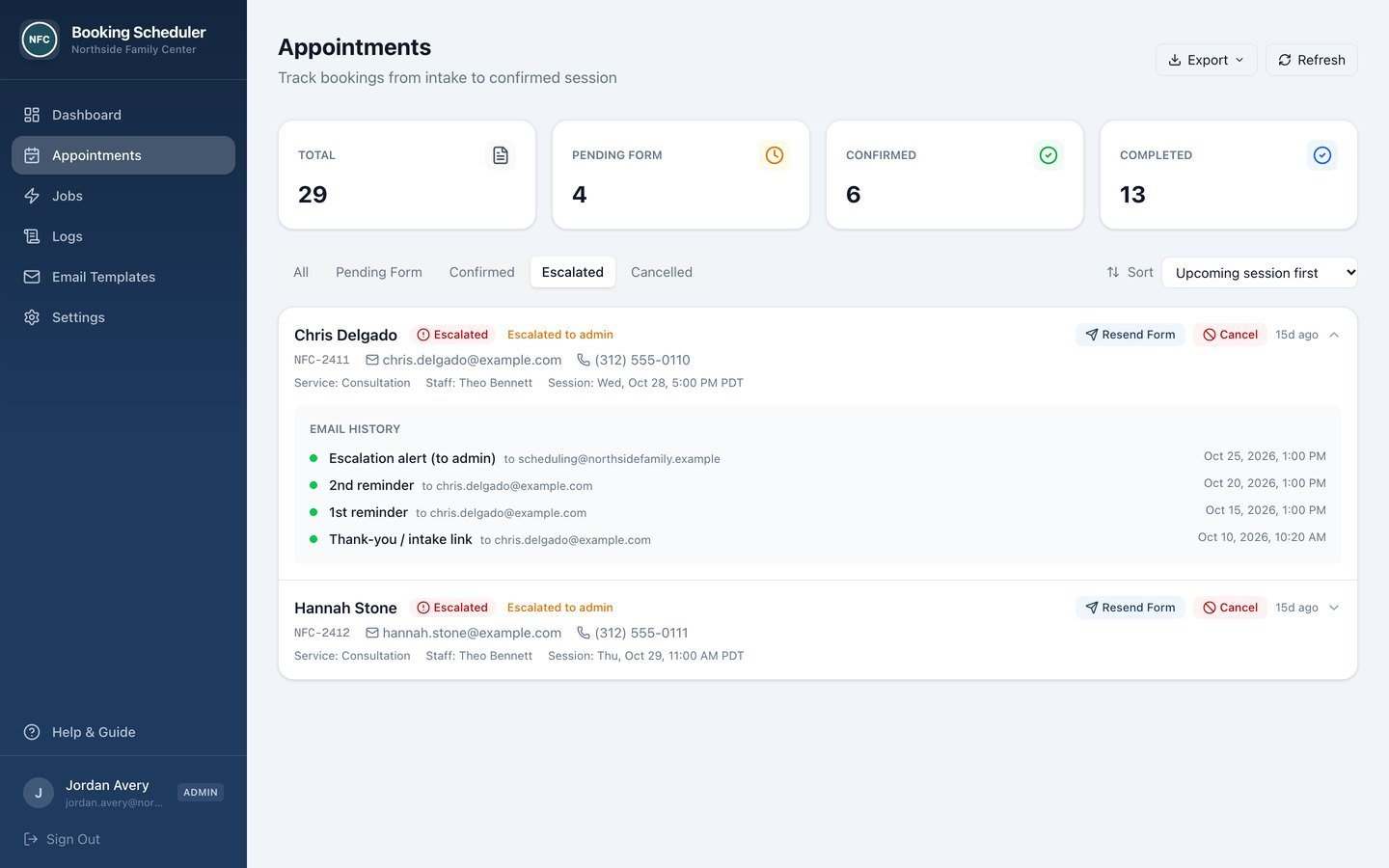
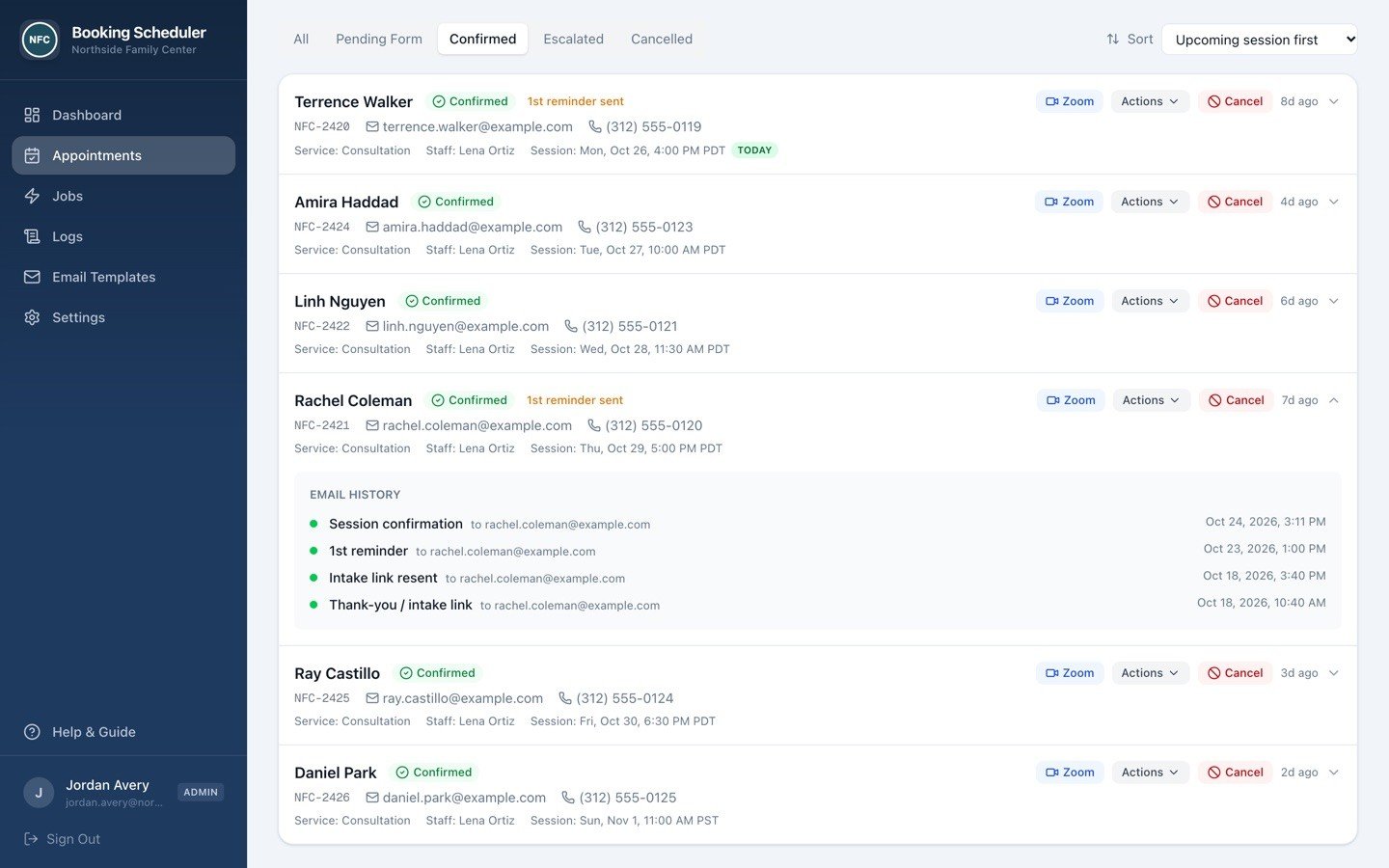
Every email it sends is recorded against the booking. Anyone on staff can open a booking and see exactly what the customer was sent and when.
When staff need to step in
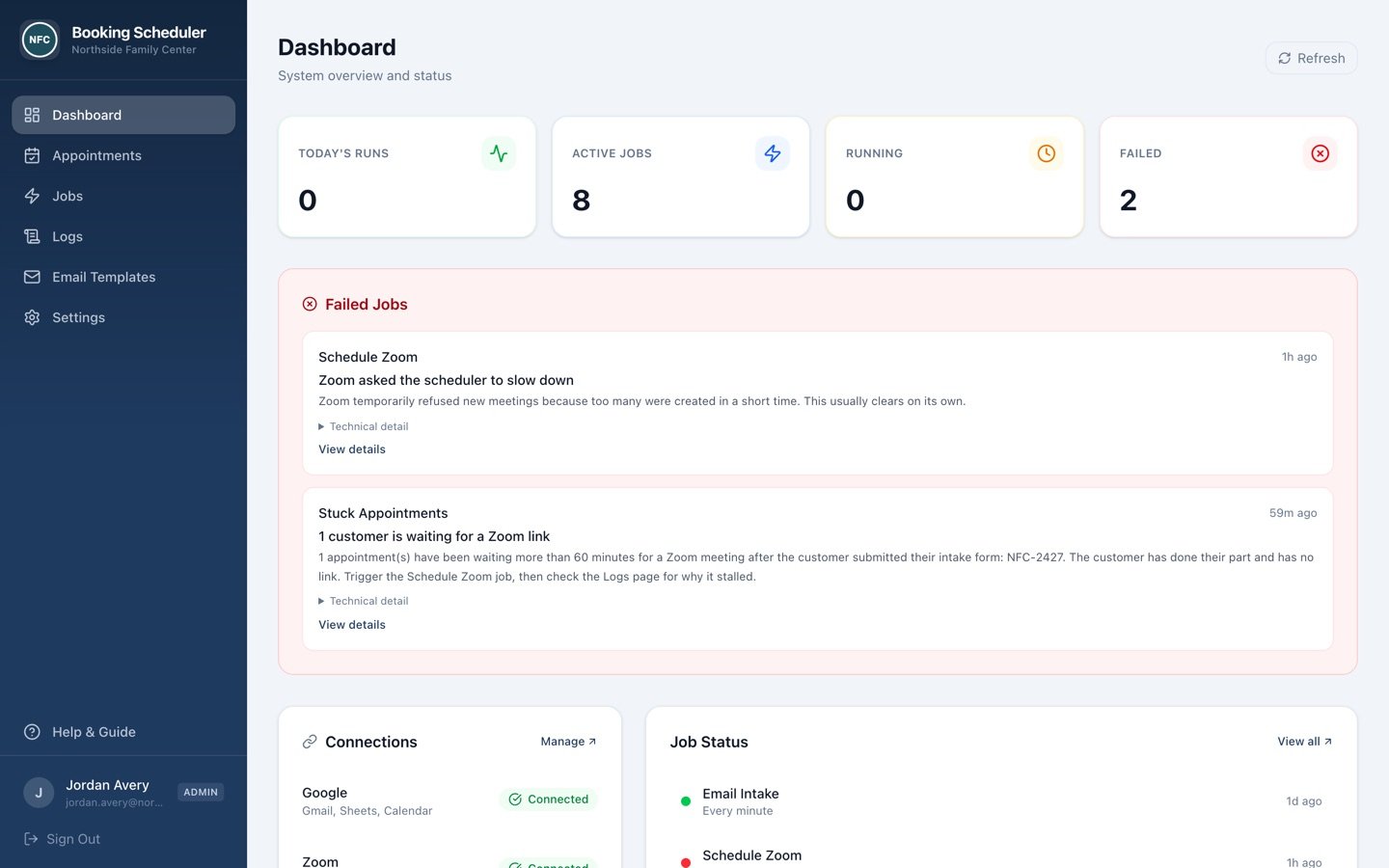
Problems come with a button, so fixing one never needs a developer. If a customer mistyped their email address, staff correct it on the booking and resend the form. If a booking is stuck without a Zoom link, one click schedules it. If a customer lost their link, staff send it again. Each button runs the same step the system runs on its own, so a manual fix behaves exactly like the automatic one.
Watching the result, not just the code
The first version read bookings out of an email inbox. In June 2026 that broke without a single error: the check ran every minute and reported success while 26 bookings went unseen for eleven weeks. Nothing looked wrong, because nothing was checking whether bookings were still arriving.
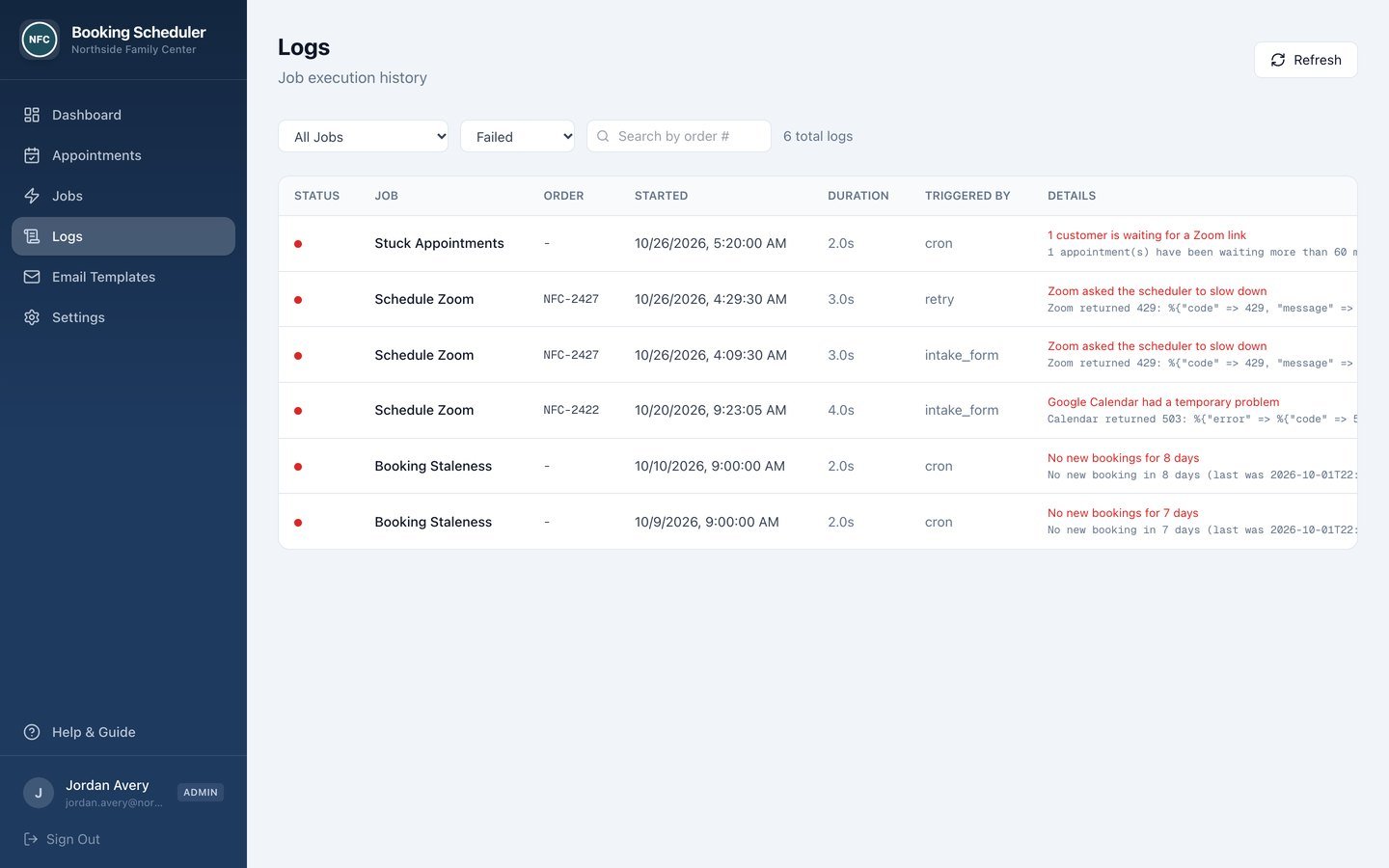
So I rebuilt it. Bookings now come straight from the website, signed so nobody else can send a fake one. And the system watches outcomes. It tells staff when no booking has arrived for a week, when a customer filled in the form an hour ago and still has no Zoom link, and when the connected Google account can no longer reach the calendar.
That last check came from a real day. Google was reconnected under an account that couldn't see the calendar. The connection still showed as working, and three customers who had filled in their forms waited for Zoom links until it was found. Now the system asks Google every day whether it can actually reach the calendar.
How it's built
A web dashboard for staff, a server that runs the scheduled work, and a database that keeps every booking and every email sent. It connects to the business's Google account for email, calendar and a tracking spreadsheet, and to Zoom for meetings. The keys to those accounts are stored encrypted.
Every change is tested automatically before it goes live, and reaches the live system a few minutes after it's approved.
The screens on this page are the real app running on made-up data. The business, staff and customers shown are invented, and the client's details are left out.